Mac Remotely Hacked

How To Hack iPhone Camera Remotely – Hackers can break into Apple iPhone phones and spy or hack iphone pictures remotely. The iPhone camera is hack able .camera with NFC and WiFi connectivity. You can connect it with your local WiFi network to upload directly to cloud services, share pictures via DLNA or obtain remote access from your smartphone.
- Mac Computer Hacked
- Hacked Mac Apps
- Mac Remotely Hacked Games
- Mac Hack Remote Access
- Mac Remotely Hacked Iphone
- Mac Remotely Hacked Account
May 17, 2019 TeamViewer is popular remote-support software that allows you to securely share your desktop or take full control of other's PC over the Internet from anywhere in the world. With millions of users making use of its service, TeamViewer has always been a target of interest for attackers. Jun 28, 2018 How To Hack iPhone Camera Remotely – Hackers can break into Apple iPhone phones and spy or hack iphone pictures remotely. The iPhone camera is hack able.camera with NFC and WiFi connectivity. You can connect it with your local WiFi network to upload directly to cloud services, share pictures via DLNA or obtain remote access from your smartphone.
For the latter, the camera provides the Remote Viewfinder and Mobile Link modes where it creates an encrypted access point with wide-open access to its X server and any data which you would expect only to be available to your smartphone.
Contents
- 2 Hack Iphone Camera Using iWep Pro :-
- 4 Hack Iphone Camera Using APP
- 5 How to hack someones phone without touching it
How To Hack Iphone Camera Remotely
Hack Iphone Camera Using iWep Pro :-
iWep pro is best Iphone hacking apps also help to crack WiFi passwords. This is a simple app with simple UI which can be easily understood by everyone.
iphone Hackers would need to be on an unsecured WiFi with their victims to pull off the so called ‘man in the middle’ attack.
IN Apple iPhone 6 , 7 has a security flaw with any Apple iPhone running firmware version 3.0.2. This flaw gives a person remotely access to iPhone Camera… New Ios updated Firmware Devices ( like iPhone 8 , iPhone X not supported )
Related – How to Hack / Unlock Any Apple Iphone Passcode
Method # 2 :- Hack Iphone Camera Using APP
Hack Iphone Camera Using APP
# 1 SpyVid :-
SpyVid camera app has a few functions so people won’t know that you are recording a video. While the camera is recording a video, you can enable ‘SpyVid Mode’ to make it look like you’re playing Game OR watching pictures this app run in background you cannot locate it from the task manager.
APP STORE RATING – 4.5
APP POINTS – 75%
Size -14.3 MB
Version – 1.31
If you want a true spy camera app , this is the best one on the market right now.
You May Also like : – What to Do After Dropping an iPhone in the Toilet
#2 Security Cam :-
Security Cam is a video monitor that allows you to Record video from your phone or tablet, wherever you are, this app use 3G/4G connection.
**MOTION DETECTION Mode** – This app has special functionalities MOTION DETECTION. Any movements in front of the Camera, Security Cam app immediately detects motion and you will receive notifications with video clips on your Viewer. The sensitivity can be set within the application settings.
Setup in one minute. Pair your devices with Gmail.
No IP settings. No network configuration.
You May Also like : – How to remove virus from iphone
How to hack someones phone without touching it
Here is video How to hack someones phone without touching it . You could hack phone without touching friend or family phone below methods almost work for all mobile devices like Apple iPhone, Samsung, HTC One , Motorola, Nexus 6, Xiaomi Mi ..etc
# 3 Here Some Best HAcking Apps – Hack Iphone Camera Remotely ( Hack Iphone )
- iWep Pro
- WLAN Audit
- xSellize Game Hack
- Elcomsoft Phone Password Breaker
- Manual Hacker
- 4. iWep Pro :-
iWep pro is best Iphone hacking apps also help to crack WiFi passwords. This is a simple app with simple UI which can be easily understood by everyone.
- 5. WLAN Audit – WiFi Hacker App Cydia :-
This App is similar to other WiFi hacking apps for iPhone. You can easily crack the WPA and WPA2 password of routers which haven’t had their default WiFi password changed. This app is easy to use.
- 6. xSellize Game Hack :-
XSellize Game Hack. By using this hacking app for Apple iPhone, you can download all paid games at a free cost from xSellize locker. If you are searching for any game hacking app from xSellize, this App is Best For you.
- 7 Elcomsoft Phone Password Breaker – Russian firm App
Useing this software you can access to password-protected backups for smartphones and portable devices based on RIM BlackBerry and Apple iPhone.
Here’s a Complete Guide Hack Iphone Camera Remotely ( Note if Apple upgrade their firmware then Trick may be not work )
To Hack Iphone Camera, there exists hundreds of Hack programs on the market where a majority of them are crap. However, there are a few genuine Hack programs as well and SpyStealth Premium is one among them.
SpyStealth Premium Features: –
can someone hack my iphone front camera
how to hack into someones front facing camera
how to hack someones phone camera remotely
can iphone 6 camera be hacked
how to hack other phones camera
how to hack someones iphone camera roll
how to hack into someones iphone from your phone
how to hack someones phone camera remotely
how to hack other phones camera
how to hack into someones front facing camera
how to hack someones phone without touching it
hack someones phone with just their number
how to hack someones phone messages
how to hack a phone pictures
how to hack other mobile camera using bluetooth
Mac Computer Hacked
Ad Blocker Detected
Our website is made possible by displaying online advertisements to our visitors. Please consider supporting us by disabling your ad blocker.
Mobile network hacking is one of the common issues these days, but that doesn’t mean your computer is safe from hackers. Sometimes small fly’s searching for free wireless network hacked your computer without warning.
If you’re thinking hackers did not hack your computer machine because you’re a small fly nobody wants to hack you. That’s your biggest mistake hackers always try to increase IP database through hacking computer.
When hackers, hack any website or server they generally do it by opening that particular site to millions of IP address and hence the server in cash. So you’ve to check if you’re being targeted by the hacker or if on your mac there is any backdoor from which you’re monitored.
If you questioning your self “How to tell If your mac has been remotely accessed” by hackers. If you’ve felt your computer has been hacked you can easily check it and prevent using simple tools and software such as installing anti-virus on your Mac.
The answer is simple, there some ways from which you can easily determine your computer is hacked.
Must Watch This Video To Know Why Your Mac Has Been Hack
1 # Can I Tell If My Mac Has Been Hacked
To determine if your mac has been already hacked by hackers you have to know if things. First of all, you've to spot some sign of possible hacking.
You'll have to consider whether anything out of the usual is happening on your notebook. You know how your computer runs better than anyone else. If you've noticed anything usual after starting your MacBook. The weird sign includes.
- When you try to open any file but it won't open.
- Any Program automatically starts without running it.
- You cannot access any file or program protected by password setup by you.
- When you're not using your computer but still sometimes its connect to the internet automatically.
- File contents have been changed but your not who change them
- Your Printer not working but all look fine.
- The wired warring message shows up on the screen.
- Go online and check your online account passwords.
There are lots of signs from which you can easily detect your computer is hacked by somebody or there is a backdoor on your computer which remotely accessed by the hacker.
2 # Go online to check your Online Accounts through Private Browser
When you try to login into your online account such as Email Account you see a password failure. If you're feeling you're already hacked then, in this case, check your online account using a private browser. Because private browsing is safe and secure.
You can also notice if your network connection is redirected to another IP address or computer. Lots of small hackers try to hack network to enjoy free internet but they can also remotely control your computer.
When you're browsing through the web browser you may also see an extra browser open up automatically without doing anything. If you own a domain for your website or blog you can access it after getting hacked.
3 # Anti-Virus Stop Working When Mac Computer Has Been Hacked
In Mac, if you already installed an anti-virus then this the best thing you've done to secure notebook. To find out if your mac address has been hacked. You can easily check it out by scanning your Mac.
Usually, Mac users have to scan its system regularly to know if check anything usual such as the trojan virus. Trojan Virus is the virus created by hackers these viri contain backdoor or the spirits and command lines to open hidden gateways on your computer.
If you notice lots of trojan virus on your computer on the regular scan it is also a sign that your mac has been hacked.
4 # Check All Accounts Created By You on Mac Using Command Line
If you're thinking how would I know if my mac has been hacked into. Have you notice someone has seen your information and conversation on your computer. According to hackers, it is easier to hack mac in comparison to PC.
There are lots of mac terminal hack commands with the help of which hackers entered into your computer. But you can also use a command line to determine whether your Mac has been used without your authorization.
Step 1:
Login into your Mac OS notebook using for the regular account
Step 2:
Click on Applications > Utilities > Terminal
Hacked Mac Apps
Step 3:
In Terminal (Command Prompt). Enter this command line 'sudo -l'.
Step 4:
Mac Remotely Hacked Games
Press Enter and then type account password and again press Enter.
Step 5:
Mac Hack Remote Access
Again in Terminal type following command line to open up the complete list of all accounts created on your Mac.
dscl . list /users
Step 6:
Press the 'Enter' button
Now you can easily check a complete list of account on your Mac OS computer. Check whether any account is created on Mac without your permission. If your mac is hacked there are additional accounts created by hackers.
Step 7:
In this last step, check whether an account is misused by any hacker. Type gave the following command line on Terminal
Mac Remotely Hacked Iphone
last
Mac Remotely Hacked Account
Hit 'Enter' now you can see each account on Mac last login date and time. Check out if there is an account which recently login without your permission.
Clash Of Clans Hack Mac Free

- Clash of Clans is free to download and play, however, some game items can also be purchased for real money. If you don't want to use this feature, please disable in-app purchases in your device's settings.
- Clash of Clans for PC Alternatively, you can also download and install MeMu player in your PC or Mac, which is another well-known Android emulator, and also available for free download. Login to your Google account and search for ‘Clash of Clans’ in the MeMu player you just installed.
- Clash Of Clans Hack Mac Free Version
- Clash Of Clans Hack Tool Download
- Clash Of Clans On Mac
- Clash Of Clans Mac Download
- Clash Of Clans Hack Mac Free Download
Clash Of Clans Mod APK Download:-Clash of Clans APK game which is quite good Clash Of Clans Hack APK. The joy of playing this game is different. While fighting with enemies you can win the game for the game. If you are looking for a war game for Android phones. So this game is great for you. Which you can download from the link below.
Clash of Clans is an in-app purchase mobile strategy game developed by Supercell since five years ago. Clash of Clans has been downloaded hundreds of millions of times around the world and available for iOS and Android. One of the player’s main discussions is how to hack clash of clans to improve their players especially to gain more currencies including gems and gold.
However, Clash of Clans is basically cannot be hacked by anyways and it’s completely illegal. Instead, you can perform Clash of Clans Hack Gems by taking advantages of the in-game options. This article aims to inform you with both methods so you can decide the best one(s) at your own discretion.
You’ve searched through dozens of non-working Clash of Clans Hack and Clash of Clans Cheats and never found any that actually work? Sit back and relax because you found the best that there is! We worked really hard to make this work. We spent months and months until we found the algorithm on which the game works so we could develop a working Clash of Clans Hack. This is your best opportunity to abuse Clash of Clans Cheats in order to get free gems in the game without actually paying for them.
Clash of Clans Hack Gems – Benefits in 2020
You’ve searched through dozens of non-working Clash of Clans Hack, and Clash of Clans Cheats and never found any that actually work? Sit back and relax because you found the best that there is! We worked really hard to make this work. We spent months and months until we found the algorithm on which the game works so we could develop a working Clash of Clans Hack. This is your best opportunity to abuse Clash of Clans Cheats in order to get free gems in the game without actually paying for them.
One of the common attempts for coc hack is by using modded files. It aims to provide cheat options especially for currencies and other Clash of Clans resources. However, it’s not recommended to use mods due to the following reasons:
- Such services offer exaggerated claims but there is no proof of those mods actually work to generate gems or coins.
- Supercell applies a very effective mod detector so using any modded files will expose your account of being detected. Considerable consequences are waiting following the use of mods including being banned. It’s a no-mercy policy as your the bans will come in a wave and last forever.
- Mods require you to download and install APK which aren’t officially issued by Supercell. They may contain harmful content and/or malware which may steal your personal and financial information. Besides, most mods require you to root or jailbreak your devices which cancel the official warranty both for Android or iOS devices.
- If you want to test the water, you can use fake accounts to try mods but you’ll find the truth soon.
Another common coc hack 2020 attempt is using the online gems or coins generator. These generators are available in different sites with claims of generating unlimited currencies for your Clash of Clans account. Of course, they will require you to input your account information before you can generate gems and coins online. Unfortunately, such online gem generators aren’t recommended due to valid reasons. First, they simply don’t work as there is no way you can bank gems or coins in Clash of Clans except gaining through the gameplay or purchasing them through in-app purchases. Second, some generators work on their own private servers and aim to steal your account or information. Third, they’re simply scams which try to drive more traffics to their sites and you’ll end with filling the endless yet useless survey and wasting your time and efforts.
Clash Of Clans Hack Mac Free Version
Starting from this point, we’ll discuss Clash of Clans Hack Gems methods that actually work and are completely safe and legal. Simple management could be a powerful coc hack in Clash of Clans. Every new COC players will start their game with a considerable amount of Gems with no exception. Of course, finishing the tutorial may drain it to half but after that, it’s not necessary to spend the left gems in the initial stages for sure. Some stunning items are certainly pricey and it’s better to invest the functional items. Managing your gems would help you get through the challenges more effectively. However, the case would be different if you purchase the gems with real money.
Not all Clash of Clans players aware of this coc hack 2020 for sure. Completing the achievements could be the most effective way to earn gems in-game. You wouldn’t have to spend real money for the gems worth hundreds of dollars as you’ve unlocked all levels of achievement awards. Each achievement possesses some requirement for the awards. In other hands, some amount of gems(currently 50) will be rewarded to you as you connect your Clash of Clans accounts with Google Play Store. You can claim the reward gems through the level tab.
Removing trees or stones in your area can reward up to six gems depending on the size and the sequences. However, some trees may reward you with no gem while one gem is certain for the stones. Fortunately, trees will respawn to the default for every eight hours but the amount of gem rewarded by the same trees may be different for sure. At this point, you can regularly bank more gems with these methods but it may take some time of course.
It’s a legal version of Clash of Clans Hack Gold where you use Google Opinion Rewards. While using online gem generator leads you into a trap of survey, completing surveys on Google Opinion Rewards allows you to gain some amount of money, the fiat money. As you’ve banked enough money, you can simply purchase gems through Clash of Clans in-app purchases for sure. It takes some time but it provides you a wider option to gain more gems without violating the terms and condition. Unfortunately, the same method isn’t yet available for iOS players.
Very few players know this Clash of Clans Hack where you can automate your Gem Mine to provide you up to two gems a day with no obligation of logging in. You can perform this Clash of Clans Hack Gems by providing the Elixirs in your Gem Mine building. It’s a little bit unorthodox but the result is obvious and you can try it right now. However, Gem Mine can only store 10 to 18 gems depending on the level of your Gem Mine building. That’s why you need to withdraw the gems to your account so the Gem Mine can remain to produce the gems for you. At this point, investing Elixirs to the Gem Mine could be a valuable Clash of Clans Hack Gems for sure.
These are the Clash of Clans Hack methods. It’s suggested to avoid point 1 and 2 as they’re worth your time and efforts no mention to risks of being banned by Supercell. Instead, simply enjoy legal coc hack 2020 with in-game tricks which provide you with a considerable amount of gems.
The game is one of the most popular of its kind. It is known worldwide and everyone plays it like crazy. It is advertised everywhere so that’s why everyone knows about it. So, why not be the best at this? You’ll get a lot of help from our tool and it will give you all you need to be the best player and crush all your opponents with your iron fist! The special thing about our tool is that besides the fact that is easy to use, it is also 100% free and works perfectly. Why spending your real money on resources when you can simply click a button and watch the magic happens.
It is not detectable, so use it whenever you want, no one will ban from the game. This is a professional job! Trust us, we worked hard on it!
You can make use of this tool whenever you want, at any time of the day since it doesn’t have a limited amount of uses or something like that. Clash of Clans Hack will work without jailbreak and you can use it on both mobile and PC platforms ( iOS, Android, Windows Phone, Windows, Mac etc. ) Our hack will make you have a lot of fun because you will be the best and everyone else will kneel before you.
This will offer you some assistance with building something, make something in the game, nobody will have the ability to do it but you. One final thing: it is a hundred percent sheltered and imperceptible, on the off chance that some individual will see that you utilize the hack, you won’t be banned, don’t stress. The good thing is that you can likewise get elixirs and gold, that is far and away superior, so you don’t miss anything. I made the premise for this product and with the assistance of my closest companions (who are coders like me as well), we have an extraordinary outline as well, proficient, amicable, so everything is simple.
Everyime they chance something within the script, we update it so it would work constantly. There are chances that sometimes this would not work for a few days, but that’s where we come into play and change it up to make it work on the new version!. Share this clash of clans cheats on facebook because this is simply the best and everybody likes it. We want it to become viral so we can make more tools like this. This is undetectable and you do not have to worry about getting banned. Enjoy it to its maximum!
Download now
[ Direct download link (MacOS) ]------
How to Get Clash of Clans on MAC for free 2019; has been made public on our website after successful testing. This tool will work great on MAC OS and WINDOWS OS platforms. And Latest mobile platforms
How to Get Clash of Clans on MAC for free 2019 has based on open source technologies, our tool is secure and safe to use.
This tool is made with proxy and VPN support, it will not leak your IP address, 100% anonymity, We can't guarantee that.
Clash Of Clans Hack Tool Download
FREE SUPPORT. Look for contact us page.Have a good one, cheers!
Clash Of Clans On Mac
Download Clash of Clans on MAC for free:
TAGS:
how to download clash of clans on mac,
how to download clash of clans,
download clash of clans on mac,
download clash of clans,
clash of clans on mac download,
download clash of clans on mac free,
free download clash of clans on mac,
free download clash of clans,
how to download clash of clans on mac free,
how to download clash of clans for mac,
how to get clash of clans on mac,
how to get clash of clans on mac free,
clash of clans free
How to Use:
Open destination folder and locate file notes.txt, open it and read step by step.
Enjoy!
Don’t forget to read instructions after installation.
Enjoy How to Get Clash of Clans on MAC for free 2019. for MAC OS/X
Clash Of Clans Mac Download

Clash Of Clans Hack Mac Free Download
All files are uploaded by users like you, we can’t guarantee that How to Get Clash of Clans on MAC for free 2019 For mac are up to date.
We are not responsible for any illegal actions you do with theses files. Download and use How to Get Clash of Clans on MAC for free 2019 Mac only on your own responsibility.
How To Tell If My Webcam Is Hacked Mac
May 30, 2020 I guarantee, if the file is still on your Mac after reading my post, you will be able to locate it. How To Tell If Mac Was Hacked. First, scan your Mac with an antimalware solution. Next, turn off remote desktop and screen sharing features to make sure that nobody can connect to your Mac remotely. Verify that there are no keyloggers. However, just because your webcam light isn’t turned on doesn’t mean your webcam hasn’t been hacked. Sometimes, hackers can disable your light. Keep in mind, too, that it’s sometimes possible to turn off your webcam light in settings. Run a security scan. By running a scan on your device to determine if your computer is infected, you.
This post may contain affiliate links. As an Amazon Associate I earn from qualifying purchases made on our website. If you make a purchase through links from this website, I may earn a commission at no additional cost to you. Read my full disclosure.
Do you think that your Mac was hacked? Do you feel that someone or something is spying on you when you are watching YouTube, or when your Mac is left unattended at home?
There are many ways how a human or a program can get on your computer and do harm to you and your privacy:
- It could be a spyware, a malicious hacker, or someone you know, such as a parent, a spouse, a friend.
- They can access your photos, videos, and emails
- They can take embarrassing pictures of you using a webcam
- They can listen and record your conversations
- They can monitor your browsing history
- They can use your computer to mine Bitcoins
- They can encrypt everything on your disk and then ask for a ransom
Computers have never been safe, and now when we rely so much on them, it is extremely important to protect ourselves from malicious actors.
This topic is too broad to fit into one blog post, so I am writing mini-series, which will help you to minimize the impact and secure your Mac.
Signs That Your Mac Was hacked
If you are reading this post, chances are you noticed something unusual is happening on your Mac. Sometimes you have a hunch, but you can’t explain it. However, most of those signs can be explained by reasons other than malware or hackers. So, let’s review the major signs.
Mac suddenly became slow for no apparent reasons
I’ve been developing commercial software for more than twenty years. There were many times when I received a call from the customer complaining that their computers, servers, programs are slow.
Every time I am getting a call, the first thing I ask if they did something before they noticed the problem. Do you know how many times they admitted that they changed something? You guessed it, zero. How many times did customers cause the problem? Almost always.
Following are some of the reasons why Mac can be slow:
- There is a virus or other malware
- Not enough disk space on Mac
- New OS was installed
- Hardware failure
Mac is using more Internet than usual
This one is harder to detect now than before. We used to have limits on how much Internet bandwidth we could use. Today, when many people have unlimited data with cable, you may not even know that something is happening.
However, if you are on a limited plan, and you see a significant increase in data consumption (more than 25% more), it’s time to investigate.
The reasons could be the following:
- Your Mac is being used as a bot by hackers
- There is a virus or other malware
- Your little one grew up and now watching YouTube all day on your computer
- New OS was installed
- Youtube and other web sites are taking forever to load
Similar to the previous sign, problems with the Internet could be a sign pointing to a virus or adware affecting the browser. Or it could be a new browser update. Or maybe the system became unstable.
Programs crashing more often
Did you notice that apps getting stuck and eventually crashing? Very often, it’s a sign of malware. Additional reasons for frequent app crashes are the following:
- Lack of memory (RAM)
- Lack of disk space
- Temporary system instability
- Hardware failure
- Unusual pop-ups in the browser
This is something we all have seen. You download an app from the Internet and seems like it was a legit software. But little did you know a good app was bundled with bloatware.
Usually, the result is that your default search engine gets changed from Google to Yahoo, the home page changes, and there are additional icons in the browser toolbar. But there could be other issues such as adware.
Adware is trying to redirect you to other sites, not related to what are you searching for. Their goal is direct traffic to certain sites. More traffic, more money they get. So, they litter your screen with pop-up, hoping that you can click and open the site you don’t want.
New files appear or old files disappear
How To Tell If My Webcam Is Hacked Mac Computer
Malware often creates new files with cryptic names. For instance, ransomware encrypts the files on your disk and renames them. However, there could be more innocent explanations.
For instance, if you can’t find a file, it does not necessarily mean that it was deleted by malware or someone who logged in on your computer remotely. Maybe, you just can’t remember that you deleted the file or the folder. In this case, first, check Trash on Mac.
If you still can’t find what you need, check my post about finding any files. I guarantee, if the file is still on your Mac after reading my post, you will be able to locate it.
How To Tell If Mac Was Hacked
First, scan your Mac with an antimalware solution. Next, turn off remote desktop and screen sharing features to make sure that nobody can connect to your Mac remotely. Verify that there are no keyloggers. Finally, eliminate reasons unrelated to hacking: reboot Mac, perform NVRAM/PRAM reset, check if there is enough space on the startup disk. If possible, visit the Apple Genius Bar for advice.
Now, let’s go over all the above in detail.
Scan Mac for viruses
I recently called Apple Support and complained about the slowness of my MacBook Pro. I could’ve solved the problem myself, but I just wanted how much would it cost for Apple to perform diagnostics on a 5-year old MacBook.
Since I don’t have AppleCare for my Mac, I thought that they would charge me something. Spoiler alert: I wasn’t charged for anything.
So, when I called, the first thing the Apple advisor made me do is to install the Malwarebytes app.
While Malwarebytes is a solid recommendation for scanning, it is not the best. In fact, I stopped recommending it to any Mac user after the test I performed myself recently.
I tested a dozen of antimalware product and only one detected 100% of 117 malware samples I intentionally downloaded on my MacBook. So, if you need a recommendation on a good antivirus check it here.
Tighten up access to your Mac
Programs are not the only threat out there. People sometimes can be even more harmful. There are several ways for someone to spy after you.
One is via remote desktop. Maybe you had experience connecting to servers or other Windows machines at work by remote desktop connection. Macs, even MacBooks, also allow such connections.
Also, it is possible to share the screen of your laptop. While it’s a useful feature, if you mean it, it’s not so good if someone’s using it when you are not aware.
And finally, since macOS has UNIX roots, as any UNIX like the operating system, it can be controlled via SSH protocol. Anyone with access can do pretty much anything on your Mac, and you wouldn’t even know.
If all of the above sounds complicated, don’t worry. I wrote a very detailed post on a topic of remote access to your Mac (https://macmyths.com/how-to-tell-if-someone-is-remotely-accessing-your-mac/). All you need is to go over the post and follow the simple steps outlined there.
Mac keyloggers
For a long time, I thought that all keyloggers could do to record keyboard strokes. Imagine my shock when I started working on my post about keyloggers.
Did you know that a new generation of keyloggers can do screenshots every 5 seconds, or record your messages and social media chats? And they can upload the collected information to the cloud.
And the worst part they are freely available for anyone to purchase!
To find out how one can identify a keylogger on Mac I installed 5 most popular apps on my laptop. They completely trashed my system, but luckily I had backups, so I was able to recover my MacBook.
Things to try if no virus found
While you are maybe suspecting something bad happening on your computer, it very well may be a normal condition.
Things to try before starting panicking:
Reboot
Sometimes glitches in software can make the current state of your system unstable. A reboot is still a remedy for many problems. You can either restart or shutdown and start again. The effect will be the same.
NVRAM/PRAM reset
Macs historically have a little memory cell where they store some information needed for many Mac peripherals to work. Surprisingly, this area gets corrupt pretty often. Fortunately, there is a very simple fix – reset NVRAM/PRAM and SMC.
Apple has very good instructions on how to perform these tasks.
What they don’t tell is that you have to reset at 2-3 times in a row for a fix to work. I found out this in the school of hard knocks so that you don’t need to.
Clear some space on disk
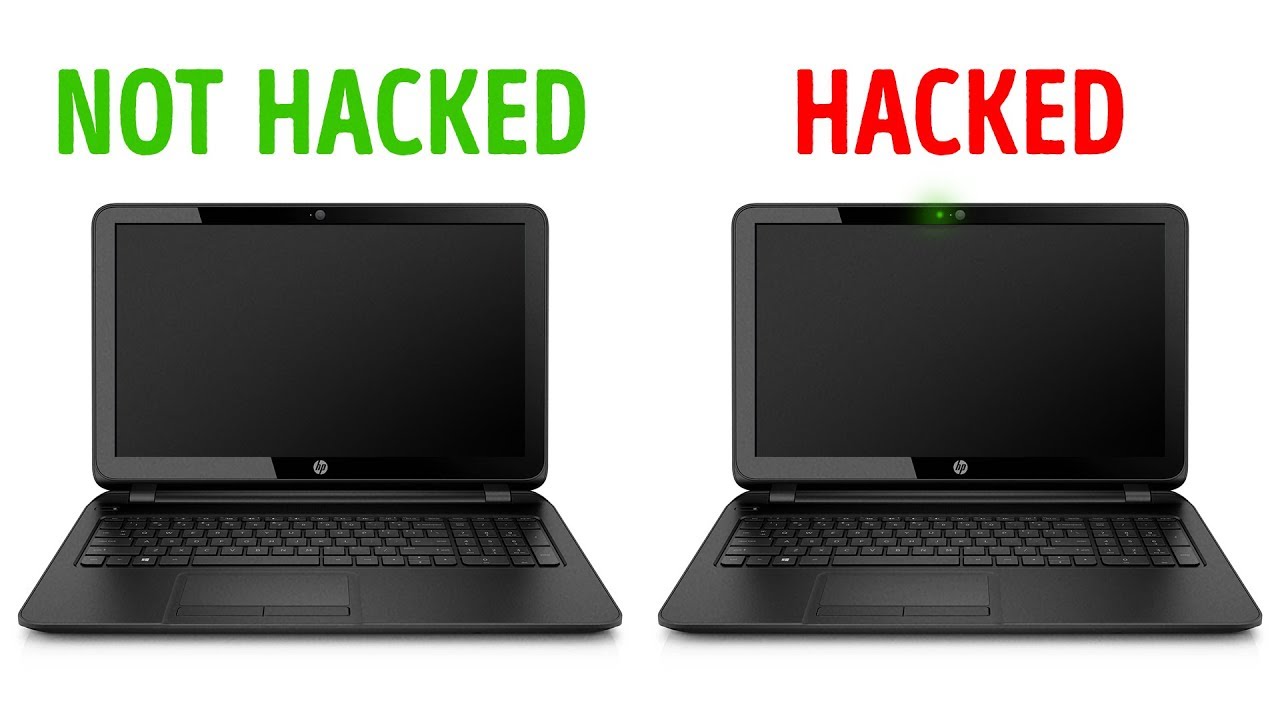
Lack of space on your startup disk may cause all kinds of issues: app slowdown, app crashes, high CPU usage, and MacBook overheating. Sometimes this may lead you to suspect that your Mac was hacked.
So, first, check how much storage you have left. And if it is not enough, you can either spend money on getting software that helps to clean your disk or read my article on free cleaning tips: How Do I Free Up Disk Space On My Mac Without Software.
New operating system
Apple releases a new version of macOS every year. While they do everything they can to produce quality software, bugs still happen.
For instance, after the recent iOS update on my iPhone, my podcast app starts freezing every time I pause. I still didn’t find why it is happening because I am too lazy busy.
In the case of the issue on hand, if you had a recent OS update, take time to investigate if the issues you are noticing are common for the release.
Check for hardware failure
Macs are very dependable, and they can serve for many years. However, any hardware gradually fails. For example, a failing disk causes unexplained app crashes. Failed RAM will prevent the computer from starting.
There is a good article on the Apple web site about running hardware diagnostics. Try and see what it will report.
Visit Apple Genius Bar
If you have an Apple store nearby, definitely check them out. On several occasions, I had to contact them, they helped me for free. If there is a fee for diagnostics, they should tell you upfront, so you can decide if it’s worth it for you or not.
5 Things To Do If Your Mac Was Hacked
So, you did everything I told you, and you found out that either someone spying or if there was malware on your Mac. There are several things you have to do immediately.
Change passwords
I know it could be painful to change all passwords. I have accounts on hundreds of web sites, and there is no way I could remember all of them. Well, this is not what I am suggesting.
You have to change passwords on the most important sites:
- Your primary email account. The one that is linked to your bank accounts.
- Bank and credit card accounts
- Work email password
- Apple ID and iCloud passwords (note, they are not the same)
If you are using one password for all sites, consider using 1Password utility.
Check bank statements
It never hurts to go over your bank statements (if you have any) once a while. If you notice some suspicious activity, then do a little research. But don’t panic right away if you don’t recognize a charge.
Almost every once, when I check my credit card statements, I see one or more charges which I don’t remember doing. However, after 5 minutes or so, I remember what it was.
Check credit report
Everyone in the U.S. has a right to get a free credit report once a year. Since there are three main agencies, you can get a free report three times a year (one from each agency). Search for “Annual Credit Report” in Google, but be careful to skip some ads and use the legit site.
Turn on Two-Factor Authentication
If you didn’t do this yet, turn on two-factor authentication on main sites: email, any money sites, etc. It’s a little bit inconvenient, but it’s the best way to prevent hackers from stealing your data.
What’s Next?
I hope I gave you some high-level information you needed in case if you think that your computer was hacked. Now, I suggest to check the articles I mentioned above in the following order, so you know how to deal with the problems outlined:
Last Updated on
Updated 11:32 AM EST Feb 19, 2020
Smart hackers don’t get caught. They break into your device, steal everything they can, and finish without a trace. Sometimes they leave a trail of destruction in their wake – malware, weird ads, confused relatives, and even a drained bank account or stolen identity.
It’s pretty easy for hackers to do their job. Most people are ambivalent, but you don’t have to be. Click here for 5 security mistakes you’re probably making right now.
Computers, phones, routers, and down to the innocent webcam are vulnerable to cyber-criminals. So what if they’ve already broken in, yet you don’t even know they’re there? Here are clear-cut signs that you've been hacked.
1. Your gadget suddenly slows down
One of the side-effects of malicious software is a slow gadget. Software gets sluggish, or constantly freezes, or even crashes. If you start noticing some of these symptoms, your gadget may very well be infected with viruses, trojans or worms.
Malicious software usually runs in the background, secretly eating up your gadget's resources while it's active.
Here are tools you can use to pinpoint those nasty applications. If an application that you don't recognize is hogging your computer resources, it's likely a virus.
PC: Use Task Manager
There are a few ways to see what processes your computer is running. The easiest is to bring up Windows' built-in Task Manager. Just use the keyboard shortcut CTRL + SHIFT + ESC and go to the Processes tab.
Put simply, the Task Manager lists all of your computer’s current tasks and how much processing power they’re using, measured in Central Processing Units (CPUs). Open up Task Manager and check the CPU and memory columns for each process.
You might find one process is using 100% — or close to it — of your CPU. Open up the program associated with the process and see what it's doing. Restart the task and monitor it, but this program might be the culprit.
Click here to learn powerful Windows Task Manager secrets for diagnosing and repairing slow computers.
Mac: Use Activity Monitor
The Mac equivalent to Task Manager is its built-in Activity Monitor. The quickest way to access the Activity Monitor is by using Spotlight Search.
Click the magnifying glass on the right side of the menu bar at the top of your screen, or press Command + Spacebar to open a Spotlight window and start typing the first few letters to auto-complete 'Activity Monitor.' Just press Enter to access the tool.
Similar to Window's Task Manager, Mac's Activity Monitor displays a list of all your open processes with tabs for CPU, Threads, Idle Wake Ups and Network usage.
Learn these three troubleshooting Mac shortcuts the pros use.
If this happens when you are on an iPhone, try a soft reset by holding the power and the home button until it reboots with the Apple logo. This step can clear out frozen apps that can be hogging your memory.
2. You’re using way more data than usual
Every Internet provider has tools that can keep track of your monthly bandwidth consumption. Look at Data Usage Meter or Data Monitor, depending on your provider. Compare the amount of data used from the prior months, and if you notice sudden spikes in your data activity even though you haven't changed your patterns, then chances are you are infected.
For example, adware infected gadgets usually perform unsolicited clicks in the background to generate profit for cybercriminals. These stealthy tactics use up bandwidth and the unauthorized data they consume should be fairly easy to spot.
Do you want to save on your data consumption? Here are 5 steps to cut your data usage in half.
More Komando: How to find everything Microsoft knows about you
3. Videos suddenly buffer and web pages take forever to load
When a streaming video suddenly freezes, and your device appears to be “thinking,” this is called buffering. This annoyance often happens, especially if you play a lot of videos or your Wi-Fi connection is weak. If it’s happening a lot, or videos fail to play at all, you’re wise to suspect neighbors are piggy-backing on your connection. Click here for steps on how to check for Wi-Fi thieves.
Then again, malware can also slow down your Internet traffic by DNS hijacking. In short, hackers can redirect your Internet traffic to unsafe servers instead of the secure servers. This will not only slow down your browsing experience, it's also a serious security risk. For example, if your router's DNS settings have been hijacked, each time you visit your online bank's website, you'll be redirected to a phishing website instead.
To check your router's DNS settings, you can use an online tool like F-Secure Router. For more security, consider changing your DNS server to one with advanced hijacking protection like CloudFlare or Quad9.
Do you want to make your router hack-proof? Click here for more tips.
More: 6 ways to speed up slow Wi-Fi
4. Programs and apps start crashing
Now, here is a clear sign that your system has been infected. If your antivirus software and task manager are either crashing or disabled, a nasty virus has likely taken hold of your critical system files.
You may not be able to click on once-reliable apps. In the worst case scenario, ransomware may prevent you from opening favorite files.
You can try and fix the problem by booting your gadget in Safe Mode. With Safe Mode, your computer will be running with just the bare essentials. This way, you can safely delete and uninstall any programs and files that you can't during normal operation.
Windows:
On Windows, search for System Configuration then open it >> select Boot tab then tick off Safe Boot >>check Minimal (this is enough for most cases) >> click on OK to confirm >> Restart your computer.
Click here for detailed steps on how to boot into Windows Safe Mode.
How To Tell If My Webcam Is Hacked Machine
macOS:
On a Mac, press and hold down the Shift key while restarting your computer. Keep holding the key through the Apple logo and release when you see the login screen.
Android:
Android also has its own version of Safe Mode but there are different ways to activate it, depending on your phone model. Click here to learn how.
iOS:
Stock iOS doesn't have a Safe Mode but you can try a soft reset to fix most issues. To do this, press and hold both your iPhone's Home button and the Sleep button at the same time, wait for it to restart then let go of the buttons when the Apple logo is displayed.
The iPhone X doesn't have a Home button so the process is a bit different. Press and quickly release the volume up button, press and quickly release the volume down button then press and hold the side button and release when the Apple logo appears.
5. You start seeing pop-up ads
Malware can also add bookmarks that you don't want, website shortcuts to your home screen that you didn't create, and spammy messages that entice you to click through. Apart from slowing down your gadget and eating away at your data, these intrusive notifications can also install more malware on your system.
Criminals can also use DNS hijacking to modify the ads that you see while browsing. Instead of the regular ads that you should be getting, they can be replaced with inappropriate or malicious ones.
On Windows, clean out adware with SpyBot Search & Destroy. On a Mac, use Malwarebytes for Mac.
6. Your gadget suddenly restarts
Automatic restarts are part of normal computer life. Software updates and new application installs can prompt you to reboot your computer. Your system will warn you when these happen, and you can delay or postpone them.
Yet sudden restarts are a different story. With Windows 10, there's a free malware detection and extraction program called Microsoft Windows Malicious Software Removal Tool.
I recommend a Full Scan with this tool to verify that your computer is updated with the latest malware definitions.
7. Unexplained online activity
Hackers covet your usernames and passwords. These details, coupled with social engineering tricks, can gain access to your banking accounts, your social media profiles, and your online services.
Keep an eye on your email's 'sent' folder and on your social network posts. If you notice emails and posts that you don't remember sending or posting, it's likely that you have been hacked.
Constantly check your accounts for unauthorized activity including movies on your Netflix profile that you don't remember streaming, mystery purchases that you haven't made, songs on your Spotify list that you didn't listen to, credit card charges that came from nowhere.
What other tech tips will help you?
Call my national radio show and click here to find it on your local radio station. You can listen to the Kim Komando Show on your phone, tablet or computer. From buying advice to digital life issues, click here for my free podcasts.
Updated 11:32 AM EST Feb 19, 2020
Best Mac Apps For Designers

BestiMac for Graphic DesignersiMore2020
When it comes to graphic design, you want a powerful machine that would be able to handle anything you throw at it in terms of visuals. And graphic design is part of the creative community, which includes graphic design, along with other industries like music creation, writing, photo and video editing, and so much more. Macs are the computers of choice for the creative community, and we think the 27-inch iMac with Retina 5K Display is the best option for serious graphic designers. That's because you get the best possible screen, great specs, and all for a reasonable price.
Best Overall: 27-inch iMac with 5K Retina Display
If you're looking for an iMac for graphic design, then you're going to want one with a stunning display to see all of your graphical work. With this iMac, you get a huge 27-inch Retina 5K display, which supports 500 nits of brightness and has a substantial 5120-by-2880 screen resolution with support for one billion colors and wide color. You also get high graphics with a Radeon Pro 570X 4GB video card for the base model, 575X 4GB for the middle tier, and 580X with 8GB for the high-end model. The high-end model is also configurable to Radeon Pro Vega 48 with 8GB of memory if you need it.
The best MacBook Pro alternatives have the great features of Apple's design, but at a lower cost. MacBook Pro may be most designers' laptop of choice, but it’s no longer alone in its prowess for design and performance – there are plenty of Windows machines that. Mar 06, 2020 Note: If you are a Chromebook user you should check out our separate article on best drawing apps for Chromebook. Best Drawing Programs for PC and Mac (2020) For an artist, a tool is a huge asset. And thus, choosing the right asset becomes.
The 27-inch iMac with 5K Retina Display has a 3.0GHz 6-core Intel i5 processor with Turbo Boost up to 4.1GHz, 8GB of RAM, and a 1TB Fusion Drive. If the base stats aren't enough for you, the machine can always be configured for more memory or storage (including SSD), but the middle and high-end offerings offer more power and can also be configured.
Even though the iMac was last updated in March 2019, it's still a very capable machine that is perfect for graphic design work and more.
Pros:
- Large 27-inch Retina 5K Display
- Three base models to choose from
- Reasonably priced for what you get
Cons:
- Mar 07, 2017 While in principle, the design of prototypes must be a product of interaction designers, and the user-centered concept shall run through the whole product design progress.
- Feb 05, 2019 Apps For Graphic Design. If there is one industry in particular that continues to benefit from ongoing software refinement its graphic design. Progress in this industry tends to well up from the user base as much as it trickles down from the programmers with the result being a continuous chain of upgrades, add-ons and entirely new graphic design apps for Android and iOS hitting the market on.
- Different configurations can be pricey
- Only starts with 8GB of RAM
- New model could be coming very soon
Best Overall
27-inch iMac with 5K Retina Display
Get the most bang for your buck
The 27-inch iMac comes with a gorgeous 5K Retina display and has three base models that are configurable for your needs.
Best Entry Level: 21.5-inch iMac with 4K Retina Display
The iMac with 4K Retina display is less money than the 27-inch, and the 4K display should be good enough for a lot of graphic design work. However, you will need to keep in mind that the 4K Retina display is only available in the 21.5-inch size, which is slightly disappointing. Still, the 4K display has a nice 4096-by-2304 resolution with support for one billion colors, and it also has 500 nits of brightness and wide color.
The base model for the 4K iMac starts with a 3.6GHz quad-core Intel i3 processor that's configurable to 3.6GHz 6-core Intel Core i7 with Turbo Boost up to 4.6GHz. You also start with 8GB of RAM (configurable up to 16GB or 32GB), 1TB hard drive (configurable to 1TB Fusion Drive or 256GB, 512GB, or 1TB SSD), and Radeon Pro 555X with 2GB memory. You can get the higher level 4K iMac if you need a boost in processor power or video card.
Pros:
- Affordable price
- Beautiful 4k Retina display
- Less than the 5K iMac
- Two base choices that can be configured
Cons:
- Only comes in 21.5-inch size
- Starts with only 8GB of RAM
- New model could be coming soon
Best Entry Level
21.5-inch iMac with 4K Retina Display
A great middle ground
The 4K Retina Display still looks fantastic and is highly affordable. It doesn't come in a 27-inch size, though.
Source: iMore
If you're on a budget and just need an iMac for the basics, then the Non-Retina 21.5-inch iMac is a good option to consider. Unfortunately, it doesn't have a 4K or 5K Retina Display, but it has a decent 1920-by-1080 resolution, which should suffice for basic graphic design.
On the inside, the Non-Retina 21.5-inch iMac has a 2.3GHz dual-core 7th-generation Intel Core i5 processor with Turbo Boost up to 3.6GHz. It starts with 8GB of RAM that you can configure up to 16GB, a 1TB hard drive that can be configured to a 1TB Fusion Drive or 256GB SSD, and Intel Iris Plus Graphics 640.
Pros:
- The least expensive iMac
- Good for basic graphic design
Best Mac Apps For Clothing Design
Cons:
- Hasn't been updated since 2017
- No 4K or 5K Retina Display
Best Value
21.5-inch iMac (Non-Retina)
The most affordable option
This is the cheapest iMac, but its 21.5-inch display is Non-Retina. But it should still be enough for basic graphic design.
Source: Craig A. Hunter
If the 27-inch iMac with 5K Retina Display doesn't offer enough power for you, then you may want to consider the beastly iMac Pro. That is if you can afford it — this thing isn't cheap!
With the iMac Pro, you get a 27-inch 5K Retina Display, but it has an 8-core 3.2GHz Intel Zeon W processor with Turbo Boost up to 4.2GHz with a 19MB cache. You can configure it up to 18-cores if you really need it, but that's going to cost you a pretty penny. It also starts with Radeon Pro Vega 56 graphics card with 8GB memory that you can also configure up to Radeon Vega 64X with 16GB of memory. The base RAM in the iMac Pro is 32GB, but you can go all the way to 256GB RAM if you want to. And it comes with a 1TB SSD, configurable up to 4TB.
It may be more than what most people need, but if you need a serious machine to handle tons of rendering and other graphic-intensive tasks, the iMac Pro will do nicely.
Pros:
- Packs in a ton of power
- 27-inch 5K Retina Display
- Comes in Space Gray color
Cons:
- Very expensive
- Not for most people
- Hasn't been updated since 2017
Best Power
iMac Pro
More power!
The iMac Pro has enough power to handle pretty much anything. And it's the only iMac to come in Space Gray. But it'll cost you.
Source: Rene Ritchie / iMore
For those who need a Mac for graphic design, but want it to be portable, then we recommend taking a look at the 16-inch MacBook Pro. The 16-inch display has 3072-by-1920 native resolution at 226 pixels per inch with support for millions of colors, 500 nits of brightness, wide color and True Tone, making it perfect for graphic design.
Not only does the display look great, but you get power too. The base model 16-inch MacBook Pro gives you a 2.6GHz 6-core Intel Core i7 with Turbo Boost up to 4.5GHz, and you can even upgrade it to 8-cores with a more powerful processor if need be. It also starts with a 512GB SSD that can go all the way up to 8TB, 16GB of RAM that's configurable up to 64GB, and you get AMD Radeon Pro 5300M 4GB graphics card that can also be upgraded if desired.
If you want a serious portable machine for graphic design, the 16-inch MacBook Pro is the one to look into.
Pros:
- Portable power
- 16-inch display is gorgeous
- Configurable to suit your needs
Best Portability
16-inch MacBook Pro
Portable power
It's no iMac, but the 16-inch MacBook Pro packs in a ton of power with a gorgeous display, and you can take it anywhere.
Bottom line
The 27-inch iMac with 5K Retina Display is the best iMac for graphic designers. With the large 27-inch screen and stunning 5K Retina display that it's capable of, you're getting the most capable machine for graphic design work at a reasonable price. Plus, it has three base configurations for you to customize if need be, so you can create the 5K iMac of your dreams.
And while we seem to be due for a refreshed iMac lineup, the 27-inch iMac with 5K Retina Display was only released in March 2019, so it's still a very powerful machine. Even if you buy it now, it should run flawlessly.
Credits — The team that worked on this guide
Christine Romero-Chan has been using Macs for a little over a decade now. She has a strong understanding of what each Mac is capable of and their purpose and can give anyone a good recommendation. You can find her and various musings on Twitter, or check out her photography on Instagram.
Rene Ritchie Rene Ritchie has been covering the personal technology industry for a decade. An outspoken analyst and critic, he writes at iMore.com/vector, podcasts at applepodcasts.com/vector, and you can find his show at youtube.com/vector. Follow him @reneritchie on Twitter and Instagram.
We may earn a commission for purchases using our links. Learn more.
Kinda like this but betterDon't like Apple's Magic Keyboard? Try these alternatives
Do you like the look of Apples Magic Keyboard but want something a little different? There are alternatives.
BestiPad for Graphic DesignersiMore2020
Graphic designers have a few choices when it comes to purchasing an Apple iPad. Our No. 1 choice is the fourth-generation 12.9-inch iPad Pro, which offers the largest display you can buy with the best internals. We've gathered other noteworthy models to help you choose the one that fits your needs best.
Best Overall: 12.9-inch iPad Pro (2020)
Now in its fourth-generation, the 12.9-inch iPad Pro (2020) is Apple's largest and most feature-packed tablet to date. Featuring an all-screen design that's also shared with the 11-inch iPad Pro, this model supports the second-generation Apple Pencil and comes with an A12Z Bionic chip with 64-bit architecture and embedded M12 coprocessor.

The Liquid Retina display features industry-leading color accuracy that generates smooth, distortion-free edges. Throw in True Tone, which automatically adjusts the white balance to make the screen look more natural, and it's clear this is the best choice for creatives.
The 2020 iPad Pro models are the first to include a LiDAR Scanner. Though not necessarily for graphic designers, the feature works with the device's pro cameras, motion sensors, and frameworks to measure depth. This combination makes iPad Pro great for augmented reality.
Do you need more reasons to select this tablet? The latest iPad Pro includes ProMotion technology that adjusts the display's refresh rate based on what you're doing. In doing so, it offers the most responsive performance possible, which is easy to recognize when illustrating or playing a game.
Two reasons not to consider this tablet: The 12.9-inch iPad Pro is the most expensive Apple tablet to date, with prices ranging from $999 to $1,899, depending on your configuration. Also: A third-generation 12.9-inch iPad Pro is nearly the same and now at a discounted price (see below).
Pros:
- Largest iPad available
- Works with second-generation Apple Pencil
Cons:
- Expensive
- Bulky
- Not much different than the 2018 model
Best Overall
12.9-inch iPad Pro (2020)
The largest and best you can buy
When you want a lot of space and the best internals, this is the tablet to buy.
Source: Rene Ritchie / iMore
If you love everything about the 12.9-inch iPad Pro but its large size, there's the second-generation 11-inch iPad Pro. This tablet has the same internals as our top pick but within a smaller footprint. Inside, you'll find a blazing-fast A12Z Bionic chip with 64-bit architecture and Neural Engine.
Like the larger iPad, the 11-inch iPad Pro is expensive, ranging in price from $799 to $1,699. And like the larger model, the 11-inch iPad Pro (2020) isn't that much different than the previous model, which is now being offered at a discount (see below)
Pros:
- Easy to travel
- Same internals as the larger model
- Includes Face ID, Apple Pencil support
Cons:
- Still expensive
- Again, not much different than the earlier model
Runner Up
11-inch iPad Pro (2020)
More portable choice
If you feel overwhelmed by the 12.9-inch iPad Pro, but want the same specs, this is the iPad you should consider.
Source: iMore
Offering an A12 Bionic chip with 64-bit architecture and Neural Engine, and embedded M12 coprocessor, the third-generation iPad Air packs a punch for much less than the iPad Pro lineup. Featuring a 10.5-inch display, the tablet is a terrific choice for creatives looking for a new tablet on a budget. The iPad Air supports the first-generation Apple Pencil, which makes it possible to sketch, draw, and design with ease.
On the downsize, the iPad Air maxes out at 256GB versus 1TB for the iPad Pro models. If you plan on saving lots of design work on your tablet. Plus, a 2020 model could arrive soon. These are crucial points to keep in mind.
Pros:
- Good price
- Screen with anti-reflective coating
Cons:
- Limited internals versus Pro models
- Only supports 1st generation Apple Pencil
- Could soon be replaced
Best Value
iPad Air (2019)
Do you feel the Air?
Apple's newest iPad Air is packed full of features and enhancements and comes highly recommended.
Source: iMore
On the day Apple revealed the third-generation iPad Air, it also introduced the first new iPad mini since 2015. Weighing just 0.68 pounds, the iPad mini, includes nearly everything you can find on the latest iPad Air, but in a smaller body.
The 7.9-inch tablet has the same A12 chip for better performance, a True Tone display, first-generation Apple Pencil support, and also comes in 64GB and 256GB storage capacities.
Pros:
- Much like the current iPad Air, but with a smaller display
- Easier to carry than other models
- Storage up to 256GB
Cons:
- Pricey for its size
- No Smart Connector support
Best for Portability
iPad mini (2019)
The small one
When convenience and portability matter, consider the 7.9-inch iPad mini.
Best Alternatives: 11-inch iPad Pro (2018) and 12.9-inch iPad Pro (2018)
The third-generation 12.9-inch iPad Pro and first-generation 11-inch iPad are very similar to the newer models. Both, however, ship without a LiDAR Scanner and come with an A12X Bionic chip. Watch for discounts for this 2-year-old models.
Pros:
- Nearly the same as 2020 models
- Works with second-generation Apple Pencil
Best Alternatives
11-inch iPad Pro (2018) and 12.9-inch iPad Pro (2018)
Nearly the best you can buy
Look for an impressive deal on either of these 2018 iPad Pro models. You'll save a lot of money and still get a terrific high-end tablet
Best Mac Apps For Web Designers
Bottom line
The 12.9-inch iPad Pro (2020) is Apple's largest and most feature-rich tablet to date. Because of this, it's our choice for best iPad for graphic designers. The all-display tablet includes an A12Z Bionic chip with 64-bit architecture and Neural Engine and embedded M12 coprocessor. It supports the second-generation Apple Pencil and includes a USB-C port.
Keep in mind, however, this tablet is going to cost you. However, because it's a 2020 model, it's going to stick around for a while. Regardless, happy drawing!
Credits — The team that worked on this guide
Bryan M. Wolfe is a dad who loves technology, especially anything new from Apple. Penn State (go Nittany Lions) graduate here, also a huge fan of the New England Patriots. Thanks for reading. @bryanmwolfe
We may earn a commission for purchases using our links. Learn more.
USB-C headphones requiredUSB-C headphones you can trust with your trusted iPad Pro
The iPad Pro has ditched the headphone jack! Want to use headphones with your iPad Pro? Here are the best USB-C headphones options out there.
Tinder Hack Auto Liker Mac Chrome

- Tinder Hack Auto Liker Mac Chrome Pro
- Tinder Auto Liker Chrome
- Tinder Hack Auto Liker Mac Chrome Version
- Tinder Hack Auto Liker Mac Chrome Download
- Tinder Auto Liker Script
Tinder has attracted a large number of social app users with swiping as the central design. Although it is a social search app, it has been most often used as a dating platform. With the multi-platform support, the users can access tinder from their Chrome browser. There will be no noticeable different found when Tinder for Chrome is compared with the mobile app. Explore the world of new people right from your Chrome browser as a web extension.
Accessing the Tinder app is simple and very much fun. Tinder is all about photos and a simple bio. Tap on any profile, just swipe right if you like someone or if they share some mutual interest with you. Otherwise swipe left to pass to see more people. When someone likes you back, then it is a match in Tinder and chat option will be opened.
Jul 29, 2018 Tinder now supports a web browser mode. As of March 2017 you can now ‘swipe’ straight from your computer. Simply go to and log in. The following video, produced by Tinder, gives you an idea about the experience. R/Tinder: A community for discussing the online dating app Tinder. Sharing conversations, reviewing profiles and more. Press J to jump to the feed. Press question mark to learn the rest of the keyboard shortcuts. Log in sign up. User account menu. I hacked a little Tinder autoliker for all browsers. No extension installs.
Tinder can be accessed from Chrome browser or Chromebook if you don’t want to rely on the smartphone. More than 26 millions matches are made per date with the Tinder Chrome app and there were 30 billion matches made till date. You can access the premium features like Tinder Gold, Tinder Plus, and Boost right from the Chrome browser. With this, Tinder users will get the support for unlimited likes, five Super Likes, rewinding, and more. By getting in the article, you will find the steps to use Tinder on Google Chrome.
How to Use Tinder on Chrome
Tinder is a dating app that can be accessed on multiple platforms. Tinder web extension support isn’t made available officially for the Chrome. Those who wanted to go with the browser version of Tinder can better opt to Link for Tinder extension. It lets you access Tinder without your smartphone.
Just like the native app, you can like and super like other Tinder users, chat with them, and do more. Yet, the section below would give you guidelines on how to use Tinder on Chrome in brief.

Step 1: Open the Chrome web browser on your desktop to type in the address bar as Tinder for Chrome.
Step 2: From the search result, you have to click on the website of Link for Tinder web extension.
Step 3: When it open up, you have to click on the Add to Chrome button that is available at the top-right.
Step 4: Click on Add Extension button when Link for Tinder app prompts to you.
Step 5: Wait for it to get downloaded and installed on your Chrome browser. You will see the Tinder app logo on the task bar of the browser and just click on it.
Tinder Hack Auto Liker Mac Chrome Pro
Step 6: You should either click on Sign Up or Log in button to proceed with the Tinder on your browser.
Step 7 (a): Click on Log in using the phone number and go to Step 8 (a).
Step 7 (b): If you have made a click on Log in with Facebook, then go to Step 8 (b).
Step 8 (a): Enter the phone number or use email to log in Tinder on your Chrome browser instantly.
Step 8 (b): You have to provide your email address or phone number and the password to log in to Tinder using the Facebook id. Click on Log in. Alternatively, you can even create a new account.
Note: With Link for Tinder extension, it will give you the same interface as like the mobile version of Tinder app.
Thus with this, you will be logged in to Tinder app right from your Chrome browser.
Tinder for Chrome Alternatives
Tinder for BlackBerry Latest Version Free Download
Tinder for Mac Download [2020 Latest Version]
How to do Tinder Login and Sign Up [3 Different Ways]
Best Tips to make friends on Tinder
Get LINE for Chrome Browser [using Extension]
Tinder for iOS/ iPhone/ iPad Latest Version Download
Tinder is also available
Summary
Tinder Auto Liker Chrome
With Tinder on Chrome, you can start an instant chat with someone new or interesting people from all around the world.
We hope the article has given useful information on Tinder for Chrome Browser. If you have any queries, please comment us below.
Related
Sign in with Facebook
Sign in with your Facebook account that you used to sign up with Tinder.
Set location on Google Maps
The official Tinder app just takes your current location but our app lets you set a location anywhere in the world.
Start liking people
Start Liking and the app will do its stuff. You should be able to like about 5k people in 5-10 minutes.
OUR APP REVIEWS
Rodrigo Smile
Tinder Hack Auto Liker Mac Chrome Version
'Mandatory. Period. Getting laid because of this app. Better than Jesus. Sorry, Jesus.”
Tinder Hack Auto Liker Mac Chrome Download
Julian Steenbakker
'Works perfect”
Lyanne Perez
'Why is it just for guys??? It's kind of discriminatory that it's only for guys to go on a liking spree with the most minimal effort, and you don't have the option for girls!?? BS.”
OUR APP REVIEWS
Karim Varela

'This might be blasphemy... But this man is a kind and generous god.”
Karim Varela (the Tinder Android coder didn't like it!)
'Don't waste your time This app violates many laws. They should be ashamed of himself.”
Lars Kvanum
Tinder Auto Liker Script
'Does exactly what it's supposed to. It does its job very well. Some bugs, which is why I didn't give it a 5 star review, but all in all a very good app. Especially for us guys, since it's mostly 'a girls' world' on the web dating scene.”
Csgo Mac Hacks 2018

Jun 28, 2020 CSGO Danger Zone Hacks / CSGO Battle Royale Hacks. At SmurfWrecker, we have always been proud to offer the very best for your csgo cheating needs. That’s why, when Valve announced Danger Zone, a CSGO Battle Royale mode, we were ecstatic. This update will give us a much wider audience and a much larger base of people who can join our community.
CSGO HACK MAC FREE AIMBOT + WALLHACK DOWNLOAD 2020
DOWNLOAD CHEAT CSGO Xoracle hack for mac working 2018 it got How to install: - Download, extract and run.exe file, (If your antivirus blocking file, pause Hacks For Mac Game, software and latest app files for mac and other platforms. Not only do we provide paid CSGO hacks, but we also provide free CS:GO hacks. This means that casual hackers can use our free hacks and pro cheaters can use our paid cheats, this way everyone benefits from Darkaim. Our Counter Strike Global Offensive hacks have been on the market for several years now and are fully undetected by VAC.
Download now
[ Direct download link (MacOS) ]CSGO HACK MAC FREE AIMBOT + WALLHACK DOWNLOAD 2020 for MAC OS X and iOS. This tool will work on your Mac, all latest versions are supported. Our tool is reliable and will do exactly what you expect and more.
CSGO HACK MAC FREE AIMBOT + WALLHACK DOWNLOAD 2020 will not only work on MAC but it will work on WINDOWS 10 AND 7 and iOS, Android. Because out tools is adapted to all popular platforms, and we working to add more platforms every day. But Our main focus is Apple Macintosh operating systems.
CSGO HACK MAC FREE AIMBOT + WALLHACK DOWNLOAD 2020 has built in proxy and VPN for 100% safety and anonymity.
Our tool is 100% safe and secure, w us only open source technology and every one can edit and see our code, all instructions ar included after installation.
CSGO HACK MAC FREE AIMBOT + WALLHACK DOWNLOAD 2020
Mac Mods
Features and user manual will be provided after installation. We always add some extras and special tricks to make are users more satisfied.
Installation is easy and wont take long, after installation, please go to program folder and open notes.txt.
Enjoy!

Download now
Csgo Mac Hacks 2018 Youtube
[ Direct download link (MacOS) ]--- Dev_notes ---
CSGO HACK MAC FREE | AIMBOT + WALLHACK | DOWNLOAD 2020
📁 Links on download
➤ Download Hack:
🔐 Password : 1234
🔔 Subscribe to my channel and do not miss new cheats! This channel is the best source for Cracks and Hacks.
➤ Hey guys! This is Download СS:GO Free Cheat! I hope you enjoy! Have fun and enjoy! Everything Im showing in this video is only for illustration and
Today guys, I show you my favorit free csgo cheats for 2020. All csgo cheats are undetected and 100% for free.
CSGO HACK MAC FREE AIMBOT + WALLHACK DOWNLOAD 2020
How to install:
– Download, extract and run .exe file,
(If your antivirus blocking file, pause it or disable it for some time.)
– Choose destination folder
How to Use:
Open destination folder and locate file notes.txt, open it and read step by step.
Enjoy!
Don’t forget to read instructions after installation.
Enjoy CSGO HACK MAC FREE AIMBOT + WALLHACK DOWNLOAD 2020.
Cool Mac Hacks
All files are uploaded by users like you, we can’t guarantee that CSGO HACK MAC FREE AIMBOT + WALLHACK DOWNLOAD 2020 are up to date.
We are not responsible for any illegal actions you do with theses files. Download and use CSGO HACK MAC FREE AIMBOT + WALLHACK DOWNLOAD 2020 on your own responsibility.
Csgo Mac Hacks 2018 Download
Related Posts
/ shade / Comments Off on CSGO HACK MAC FREE AIMBOT + WALLHACK DOWNLOAD 2020
FLUX MINECRAFT FREE CLIENT KILLAURA, ESP, NOCLIP, NO FALL,CSGO HACK 2020 (UNDETECTED) EXTRIMHACK CSGO AIM, WH + BHOP FREE
Mac 32 Gb Ram With 8th Gen I7 For Hacking
- 8th Gen Accord
- Mac 32 Gb Ram With 8th Gen I7 For Hacking Pc
- Mac 32 Gb Ram With 8th Gen I7 For Hacking Computer
While it’s true that a Mac with more RAM feels noticeably faster, that’s only true up to a point. For example, if you upgrade from 4GB to 8GB or 16GB, you’ll feel like your Mac has been turbo-boosted. However, for most users, if you upgrade from 16GB to 32GB, you won’t notice much of a. The argument for 32 GB of RAM in the new Macbook Pro is a bit misguided for most. The magic limit of 32 GB of RAM will not help your Creative Suite run faster any more than if you had 16. What will help the Creative Suite run faster is a dedicated GPU.
The long-awaited, long-rumored 16-inch MacBook Pro has officially landed, and it promises to fix all of the gripes that users had with the previous flagship 15-inch MacBook Pros while increasing performance by “up to 80%” for designers, photographers, video editors, and everyone in between.
The point of the 16-inch MacBook Pro seems to be two-fold.
First, Apple wanted to address many of the complaints that users have voiced about the previous flagship 15-inch models: a poorly designed keyboard that broke easily, no escape key, insufficient cooling, and maximum specs that had fallen behind the competition. Second, Apple wanted to try and pack in as much power as possible, putting the top-of-the-line specs of this machine into a league of their own, at least compared to every other Apple notebook ever made.
We haven’t yet had the chance to test this computer ourselves (stay tuned for that…) but Apple seems to have succeeded on both counts.
As the name implies, the latest flagship MacBook Pro comes with a 16-inch Retina Display, making it the largest Retina display ever put in a notebook. With a resolution of 3072×1920 for a pixel density of 226 ppi, brightness of 500 nits, and P3 wide color gamut, it promises to deliver the performance pros have come to expect from Apple’s displays.
The other major improvement to the surface of the computer is the keyboard, which has ditched the much-maligned butterfly mechanism for a specially-designed, ultra-thin scissor mechanism Apple is calling “the new Magic Keyboard.” These keys promise to be everything the old mechanism wasn’t, offering 1mm of key travel, a “stable key feel” and, for those of us who hated these omissions before, an actual physical ESC key and inverted-T arrangement for the arrow keys.
In terms of I/O, the computer comes with four Thunderbolt 3 USB-C connections and a headphone jack.
Cosmetic tweaks and improvements aside, the 16-inch MBP is all about performance, and if you have the cash to spend, this computer can be specced out to be far more powerful than any Apple notebook that came before it.
The CPU options include the latest 9th-Gen Intel Core i7 and i9 processors, all the way up to the 2.4GHz 8‑core Core i9 with a Turbo Boost up to 5.0GHz; RAM starts at 16GB and can be configured all the way up to 64GB; storage starts at 512GB and can be configured all the way up to a staggering 8TB; and AMD Radeon Pro 5000M series graphics with up to 8GB of onboard storage. The graphics are particularly interesting, as Apple is calling these GPUs “the first 7nm mobile discrete GPUs for pro users.”
All of this is powered by a 100Wh battery—the largest ever in a MacBook—that promises 11 hours of unplugged “web browsing or Apple TV app video playback.” And the improved cooling system features larger fans and a larger heat sink that promises “significantly more heat dissipation,” allowing the computer to “sustain up to 12 more watts of power during intensive workloads” compared to the previous 15-inch models.
“Our pro customers tell us they want their next MacBook Pro to have a larger display, blazing-fast performance, the biggest battery possible, the best notebook keyboard ever, awesome speakers and massive amounts of storage, and the 16-inch MacBook Pro delivers all of that and more,” says Apple senior director of Mac and iPad Product Marketing, Tom Boger. “With its brilliant 16-inch Retina display, 8-core processors, next-gen pro graphics, even better thermal design, new Magic Keyboard, six-speaker sound system, 100Wh battery, up to 8TB of storage and 64GB of fast memory, the 16-inch MacBook Pro is the world’s best pro notebook.”
The “world’s best pro notebook.” We know a few PC brands that’ll have something to say about that, but one thing’s for sure, Apple has made their flagship MacBook Pro significantly more competitive once again.
Here’s Apple’s 16-inch MacBook Pro promo video that features several creatives—including adventure photographer Chris Burkard–talking about creativity and how the new Apple notebook fits into their professional workflows:
To find out more about the 16-inch MacBook Pro or configure your own, head over to the Apple website. Just be ready for a little sticker shock…
The base configuration—with a 2.6GHz 6-core 9th Gen Core i7 processor, 16GB of RAM, 512GB of SSD storage, and a Radeon Pro 5300M with 4GB of GDDR6 memory—will cost you $2400. Specced all the way up with a 2.4GHz 8‑core 9th Gen Core i9 (Turbo Boost up to 5.0GHz), 64GB of RAM, 8TB or SSD storage, and a Radeon Pro 5500M with 8GB of GDDR6 memory onboard, you’ll be paying a whopping $6,100!
Please enable JavaScript to view the comments powered by Disqus.
A RAM Install on a 27-inch iMac through the “back door”Now that the new iMac Pro is available, you might be thinking about getting one to speed through video editing and rendering…or just to gain bragging rights. There was a bit of controversy once the iMac Pro became available to pre-order, as it was also announced that unlike the “regular” iMac, the Pro model did not have a hatch on the back for performing easy memory upgrades. While more reasonably-priced upgrades than those from Apple will be available from MacSales.com in the near future, OWC CEO Larry O’Connor recently noted that:
“… with consideration to the relatively limited trade-in value of the lowest base 32GB option, the current cost of a full 64GB or 128GB kit and the labor involved with the upgrade – we currently recommend purchasing an iMac Pro with the amount of memory you believe will be needed.”

How much RAM should you purchase for your iMac Pro, or for any Mac that isn’t easily upgradeable by users?
The amount of RAM that should come pre-installed in your Mac depends on what you’ll be using the Mac for and what model you purchase.
iMac Pro
Those who are purchasing the iMac Pro are usually doing so for a reason — they need the incredible power of this computer. At a starting price of $4,999 with 32GB of RAM and the basic processor, it’s quite pricy. Get it with the top of the line processor with 18 cores, 128GB of RAM, and 4TB of SSD storage and you’re looking at a $13,348 price tag — before taxes!
8th Gen Accord
Related:See which upgrades your Mac is compatible with the My Upgrades tool
Our suggestion for those who are considering the purchase of an iMac Pro for a specific use case and application is to ask others who already use that app how much RAM they would suggest. You’ll find that user forums and online groups are a valuable resource for finding the “sweet spot” for required RAM for a particular app.
That being said, if you’re considering the purchase of an iMac Pro — even with the base 8-core processor and storage — a good suggestion would be to get it with 64GB of RAM for future needs. That drops the price tag down to a more reasonable $6,548.
Once OWC’s DIY kit and Turnkey Upgrade options become available, you’ll have another solution for bumping up the RAM in your computer.
iMac
The iMac now comes with 8GB of RAM pre-installed, which is sufficient for many users. For those who are purchasing the 27-inch iMac, the good news is that you can easily upgrade your computer buy purchasing RAM from MacSales.com and installing it through the “back door” on the device. The 21.5-inch iMac does not come with that door, so you’ll want to think ahead to possible uses of the computer during its working life.
Will you be creating photo books, doing detailed photo retouching, editing 4K video, or composing music? Consider ordering that computer with 16GB of RAM (the maximum for the 21.5-inch model). That 27-inch iMac can be upgraded to a total of 64GB of RAM from the factory for “just” $1,400… or you can save a lot of money purchasing your upgrade from MacSales.com for $648 (prices in this article are as of this publishing date) — less than half of what Apple charges!
MacBook
Apple’s sleek little MacBook now comes with 8GB of RAM standard, which is more than enough for many purposes. For most day-to-day use, that 8GB of RAM is sufficient for web browsing, email, social networking, running your favorite productivity apps, and even doing work with Photos.
Going to be doing work with Adobe’s Creative Cloud or perhaps need more RAM to juggle a pile of apps? Upgrading to the maximum — 16GB — is just $200 more.
MacBook Air
The slender MacBook Air has one thing Apple’s other laptops are lacking — “normal” ports and not the USB-C/Thunderbolt 3 ports found on the MacBook and MacBook Pro. Like the MacBook, the MacBook Air is outfitted with a standard load of 8GB of RAM. It does not come in a higher RAM capacity model, so take that into account if your future usage may require a bit more working memory.
MacBook Pro
The top of the line MacBook Pro now comes with 8GB of RAM standard in the 13-inch model (upgradeable to 16GB at purchase time for $200) while the 15-inch is preloaded with 16GB and is non-upgradeable. This is one of the primary criticisms of the current MacBook Pro, in that “pro-level” laptops should be upgradeable to at least 32GB.
Our suggestion on the MacBook Pro? Get it with 16GB of RAM. Even if your workflow doesn’t require a lot of RAM, the device will have more resale value down the road.
Mac mini
Alas, the poor Mac mini — the neglected child of the Mac line. Will 2018 be the year that it is finally given a refresh? The least-expensive model (a bargain at $499) comes with a minuscule 4GB of RAM — the least RAM you’ll find in any Mac. The mini used to be user-upgradeable, but that’s no longer an option… Through Apple, you can bump up the base RAM to 8GB for an additional $100 during a purchase or take it to the max with 16GB for $300.
Our suggestion? Spend that extra $300 and go for 16GB. Most Mac minis are used for specific purposes, as Plex multimedia or small office servers. Both of those use cases can really benefit from the maximum 16GB RAM.
Mac Pro
Finally, we come to the Mac Pro, which will be upgraded some time in the future. Will that future be 2018, 2019, or even 2020? We don’t know, but the new computer is likely to be a powerhouse. In the meantime, it’s still a fast, powerful and somewhat expandable Mac.
The Mac Pro is outfitted with a base amount of 16GB of RAM, upgradeable through Apple to 32GB ($400 more) or 64GB ($1,200 more) of memory.
You can do much better by purchasing your Mac Pro upgrade through MacSales.com. Options are available for 32GB ($359), 64GB ($498), 96GB ($819) or a whopping 128GB ($1,079). That’s right — you can double Apple’s available RAM upgrade for less money! Mac Pro users are generally heavy RAM consumers, so buy the base machine with the storage and processor setup you need plus the minimum amount of RAM. Then, use that link you see above to get as much RAM as you think you’ll need for editing your Oscar-contender movie!
Older Macs
In this article, we’ve pointed out what you should consider for memory in your soon-to-be-purchased Mac. But what about the older, more easily upgradeable Macs? A memory upgrade can often bring new life to an older Mac, so it’s a good idea to look into upgrading RAM if that Mac is feeling sluggish.
To determine whether or not an older Mac can take more RAM, you’ll need to see how much is currently installed and whether there are available slots into which you can install additional and/or larger RAM modules. The best way to do that is to go to your Apple menu and select About This Mac. For upgradeable Macs running macOS High Sierra or Sierra, there’s a Memory tab that you can click on for details. Here’s an example below, taken from a 27-inch Retina 5K iMac:
Macs with RAM that can be user upgraded will show this Memory tab in About This MacJump back over to the MacSales.com home page, where it’s easy to find out if your older Mac can be upgraded and how easy or hard it will be to perform the upgrade. Just click on Memory (see image below) and you’ll see a menu for all of the different Mac models. Select yours, and follow the instructions on the next page you see. Happy upgrading!
Click on the “Memory” link and select the type of MacMac 32 Gb Ram With 8th Gen I7 For Hacking Pc
Be Sociable, Share This!
Mac 32 Gb Ram With 8th Gen I7 For Hacking Computer
OWC is on-site wind turbine powered at 8 Galaxy Way, Woodstock, IL 60098 | 1-800-275-4576 | +1-815-338-8685 (International)
All Rights Reserved, Copyright 2018, OWC – Since 1988
